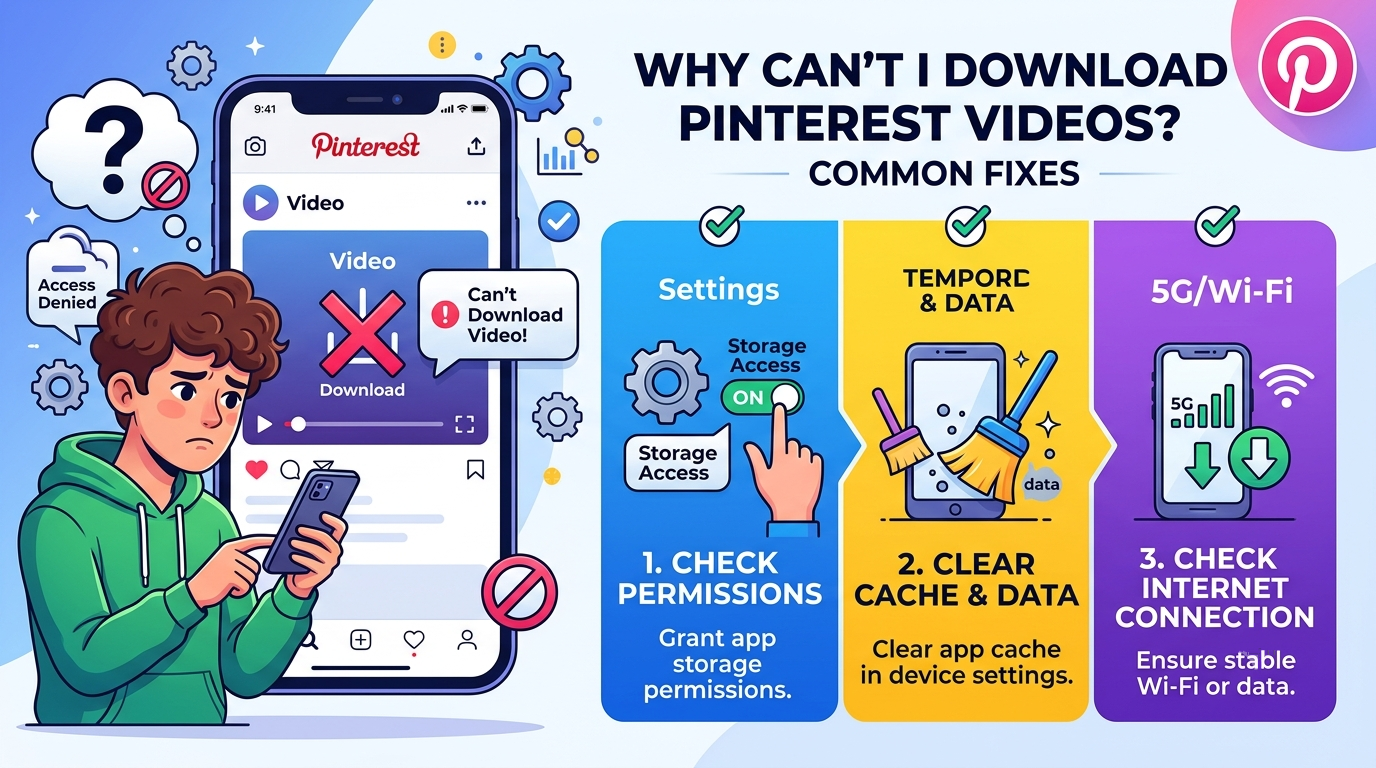
Pinterest is one of those websites that users visit to look up and save creative videos, ideas, tutorials, and recipes among others. There are times when users want to download their favorite Pinterest videos and cannot manage to do so due to some problems. When you ask Why Can’t I Download This Pinterest Video? Common Fixes, there are various reasons why that happens.
Knowledge of common issues helps you resolve Pinterest video download issues easily. Whether you are downloading videos from a mobile phone or PC, there are some easy-to-follow steps that could make the process easier.
Check Your Internet Connection
Slow or inconsistent internet connection is one of the most frequent reasons for failed downloads from Pinterest videos. The videos require a strong and consistent connection to be loaded and saved without any problems.
To resolve the problem, you should test the speed of your Wi-Fi or cellular data connection. It is possible to reset the router or change your connection source by switching between Wi-Fi and cellular network.
Make Sure the Pinterest App Is Updated
Utilizing an outdated version of Pinterest will pose challenges when trying to download or view videos since there might be bugs in the application that can interfere with such processes.
To fix this, visit the app store on your device and see whether an updated version is available for you to install.
Check If the Video Allows Downloads
It is not possible for all the videos on Pinterest to be downloaded directly. There could be cases where some videos cannot be downloaded due to copyright restrictions and limitations set by the video creator or platform.
The absence of the downloading feature should not be considered an issue with your device since it could be restricted by the video owner
Clear Pinterest App Cache
The use of cached files is useful for speeding up applications, however, when too many files are stored, this problem may occur. A broken cache will cause video downloading to fail.
In order to fix the problem, you need to access the settings on your phone and then click on the Pinterest app settings, where you should clean the cache.
Check Your Device Storage
Lack of storage space is a cause that may prevent Pinterest videos from being downloaded. Videos require sufficient storage space to be saved properly.
Inspect the storage space of your phone or computer, then delete any unwanted files if necessary. You can clear up some space by deleting old videos, unused applications, or other files.
Use a Reliable Pinterest Video Downloader
When there is no direct download facility by Pinterest, a lot of users opt for online Pinterest video downloaders. But there are some downloading utilities which do not work effectively on every video format.
Select one such utility which can be used to download Pinterest videos and is also reliable enough. Do not choose such sites that have a number of pop-ups.
Check the Pinterest Video Link
An incorrect or incomplete video link could make the entire downloading process impossible to carry out. You should ensure that you copy the complete Pinterest video link.
Looking for a quick way to Check the Pinterest Video Link? Use our free tool to verify Pinterest video URLs easily and access your content in seconds.
Restart Your Device
Simple technical problems can sometimes affect app performance. Restarting your phone, tablet, or computer can refresh system resources and fix temporary errors.
After restarting your device, open Pinterest again and try downloading the video.
Update Your Browser
If you are downloading Pinterest videos through a browser, an outdated browser may cause compatibility problems. Update your browser to the latest version and clear browsing data if needed.
Modern browsers provide better support for video tools and website features.
In case you have been asking yourself Why Can’t I Download This Pinterest Video? Common Fixes, the reason behind it is either the problem with your internet connection, the Pinterest application, storage, video downloading restrictions, or even downloading programs. Going through each of these reasons will allow you to solve the problem and successfully download Pinterest videos.
Updating your Pinterest application, having a steady internet connection, and using secure downloading methods will protect you from further problems.